In this guide
I have been making YouTube videos since 2018. I have watched every “secret tool” wave come and go: tag generators, sub-for-sub groups, keyword scrapers. Most of them were noise. This one is different, and I say that as someone who was sceptical.
The reason is simple. When I ask Claude “which faceless niches are growing right now?”, a normal chat gives me a confident answer from its training data, which could be a year old. When Claude is connected to live YouTube data, it goes and checks, then answers with real channels, real view counts and real dates. Same question, completely different quality of answer.
I built the TubeMind connector myself, so I will be honest about where it helps, where other options are better, and what you should never give an AI access to. Let’s start with the one word everyone throws around and nobody explains.
What is MCP, in plain words?
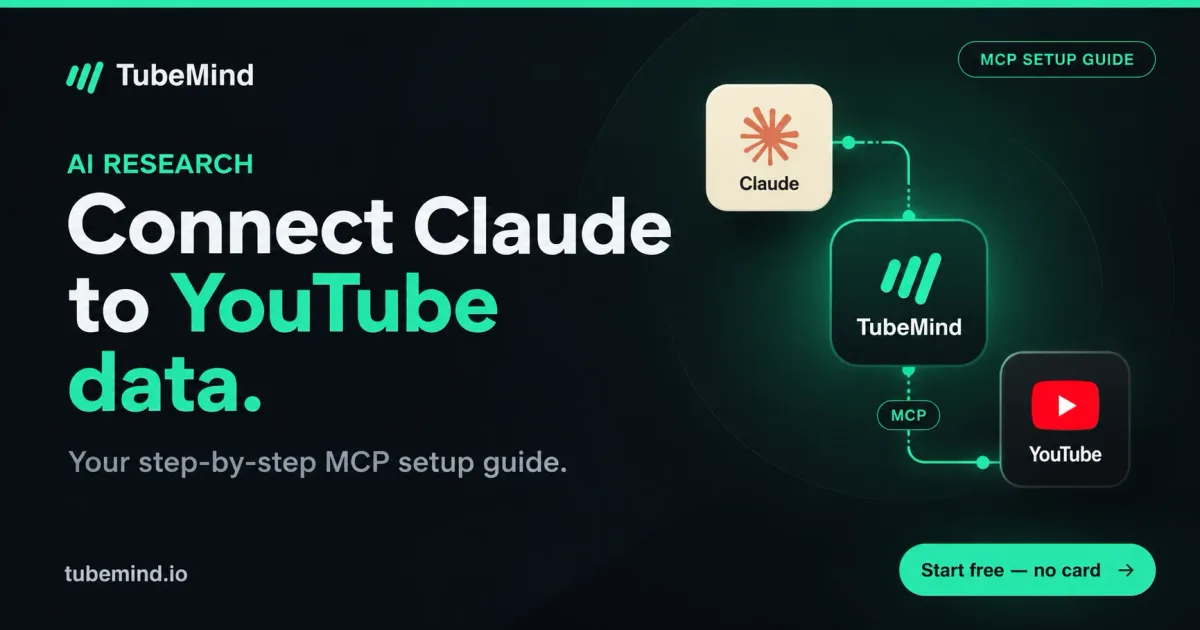
MCP (Model Context Protocol) is a standard way to plug an AI assistant into an outside data source. Anthropic released it on 25 November 2024 and describes it as “an open standard that enables developers to build secure, two-way connections between their data sources and AI-powered tools” (Anthropic).
Think of it like a phone charger. Before USB-C, every phone had its own cable. MCP is the common cable: one connector works in Claude, ChatGPT, Cursor and any other app that supports it. A YouTube MCP server is simply a connector whose tools are about YouTube, like “search channels”, “find outlier videos” or “get this video’s transcript”.
The important part: Claude decides when to use a tool. You do not type commands. You ask a normal question, Claude calls the tools it needs, reads the results, and writes the answer.
What Claude can and cannot do with YouTube data
Before you connect anything, set the right expectation. This is where most guides oversell.
| Claude can | Claude cannot |
|---|---|
| Compare channels on views, upload pace and growth | Watch your video or judge your editing |
| Find videos that beat their channel’s normal views | See your thumbnail as a viewer would (unless you upload the image yourself) |
| Spot title patterns across a niche | Read your private Studio analytics, unless the connector signs in to your channel |
| Summarise a transcript or a comment section | Guarantee a video will go viral |
| Turn all of that into a content plan in your language | Know data the connector did not return |
That last row matters most. Claude is only as good as the connector behind it. A connector with thin data gives you a confident answer built on thin data.
The 4 types of YouTube connectors (pick the right one)
When people search “YouTube MCP server” they find lists of twenty projects with GitHub stars. That is not useful if you are a creator. What matters is what kind of data the connector gives and what access it asks for. There are really only four types:
| Type | What it gives Claude | Setup | Access it needs | Best for |
|---|---|---|---|---|
| 1. Transcript servers | The words spoken in any public video | Usually a terminal install (Node or Python) | None, public data | Summarising and studying videos |
| 2. Research data connectors | Channel stats, outliers, niches, similar channels, revenue estimates | Paste one URL, no install | None, public data | Niche and competitor research |
| 3. Your own analytics | Private Studio data: retention, CTR, traffic sources | Google sign-in | Read access to your channel | Diagnosing your own videos |
| 4. Publishing and management | The power to edit titles, reply to comments, change visibility, sometimes upload | Google sign-in | Write access to your channel | Teams automating busy channels |
My advice for 90% of creators: start with type 2, add type 1 if you study videos a lot, and think twice before type 4. Research is where AI saves you hours. Letting an AI edit your live channel is where it can cost you a lot more than hours.
A research connector can only read. A management connector can change your channel. Treat those two very differently.
How to connect Claude to YouTube data, step by step
I will use the TubeMind connector as the example because it is the one I know inside out, and it needs no install. The steps are the same for any hosted connector: you get a URL, you paste it into Claude.
Step 1: get your connector URL
- Create a free account at TubeMind.
- Open Connect AI and copy your personal MCP URL.
- Treat that URL like a password. It contains your key, so do not post it in a screenshot or a group chat.
Step 2: add it to Claude (web or desktop)
- In Claude, open Customize → Connectors.
- Click the add button and choose custom connector.
- Name it “TubeMind” and paste the URL. Leave the OAuth fields empty, because the key is already in the URL.
- Click Add.
- In a new chat, open the + menu, go to Connectors and switch TubeMind on.
These steps follow Anthropic’s own guide. On Team and Enterprise plans an owner adds the connector once for the whole organisation, then members click Connect.
Step 3: test it with one question
Ask: “Use TubeMind to show me 5 outlier videos about personal finance from the last 30 days, and tell me what their titles have in common.” If Claude shows a tool call and then answers with real channel names and dates, you are connected.
Using ChatGPT or Cursor instead
ChatGPT: open Settings → Connectors. If you do not see a Create button, switch on Developer mode under Advanced. Create a connector, paste the same URL, choose “No authentication”, and save. Then pick it from Tools in a new chat. OpenAI has changed which plans get this several times, so if the option is missing, your plan does not have it yet.
Cursor, Windsurf, VS Code: add the URL as a remote MCP server in the app’s MCP settings. The Connect AI page has the exact JSON to copy.
Privacy and permissions: what I check before connecting anything
Anthropic is unusually direct about this. Its help page says custom connectors “connect Claude to arbitrary services that have not been verified by Anthropic”, and that “malicious MCP servers may include hidden instructions that try to make Claude perform unintended actions” (source). Here is my checklist:
One more tip for apps that allow it: send the key as an Authorization: Bearer header instead of inside the URL. URLs end up in logs and browser history; headers don’t. Claude’s custom connector screen lets you add request headers for exactly this.
10 prompts creators can use today
These are the questions I actually ask. Copy them, swap the topic, and watch the tool calls.
- Find a niche: “Which faceless niches have the most channels under 1 year old getting real views? Show the verdict for each.”
- Urdu and Hindi: “Which Urdu faceless niches say Enter now? Give me the youngest winning channel in each.”
- Outliers: “Find outlier videos in the last 30 days in home cooking, from channels under 50K subscribers, and explain why each one worked.”
- Title patterns: “Look at the top 20 outliers in personal finance this month and group their titles into patterns I can reuse.”
- Competitors: “Find channels similar to @channelname in the same language and compare their upload pace and views per video.”
- Side by side: “Compare these 3 channels over the last 90 days and tell me which one is growing fastest and why.”
- New channels: “Show channels created in the last 90 days that already average 10K views per video. What do they have in common?”
- Revenue reality check: “Estimate the monthly revenue range for this channel and explain which numbers the estimate is based on.”
- Video study (with a transcript connector): “Summarise this video’s first 60 seconds and tell me how the hook is structured.”
- Turn it into a plan: “Based on everything above, give me 10 video ideas for a new channel in this niche, with a title for each.”
Notice the pattern: data question first, creative question last. Ask Claude to brainstorm before it has data and you get generic ideas. Ask after, and the ideas are built on what is already working. That is the whole method behind outlier research, just faster.
Free vs paid: what does it cost?
| Piece | Free option | What you pay for |
|---|---|---|
| Claude | Free plan, one custom connector | Pro or Max for more custom connectors and higher usage |
| ChatGPT | Depends on your plan | Check Settings → Connectors on your plan |
| Research connector | vidIQ offers a free MCP that runs on credits | Higher daily limits and deeper reports |
| Transcript servers | Open source, free | Your time to install and keep them working |
| Your own YouTube API key | 10,000 units a day by default | A quota increase request to Google |
A note on that last row, because it confuses people. If you run a do-it-yourself server with your own key, Google gives each project 10,000 units per day, and search has its own cap of 100 calls per day (YouTube Data API quota costs). That is fine for checking one channel, but it runs out fast if Claude decides to search twenty niches in one answer. Hosted connectors answer from their own database, so your questions do not touch any quota.
See current TubeMind limits on the pricing page.
My own workflow (the 20-minute version)
Here is how I use it when I am planning content for a channel, whether it is mine or a student’s:
- Pick the arena. I ask Claude for niches with young winning channels in the language I care about. Then I open the full niche report in TubeMind for the one that looks right, because I like seeing the charts myself.
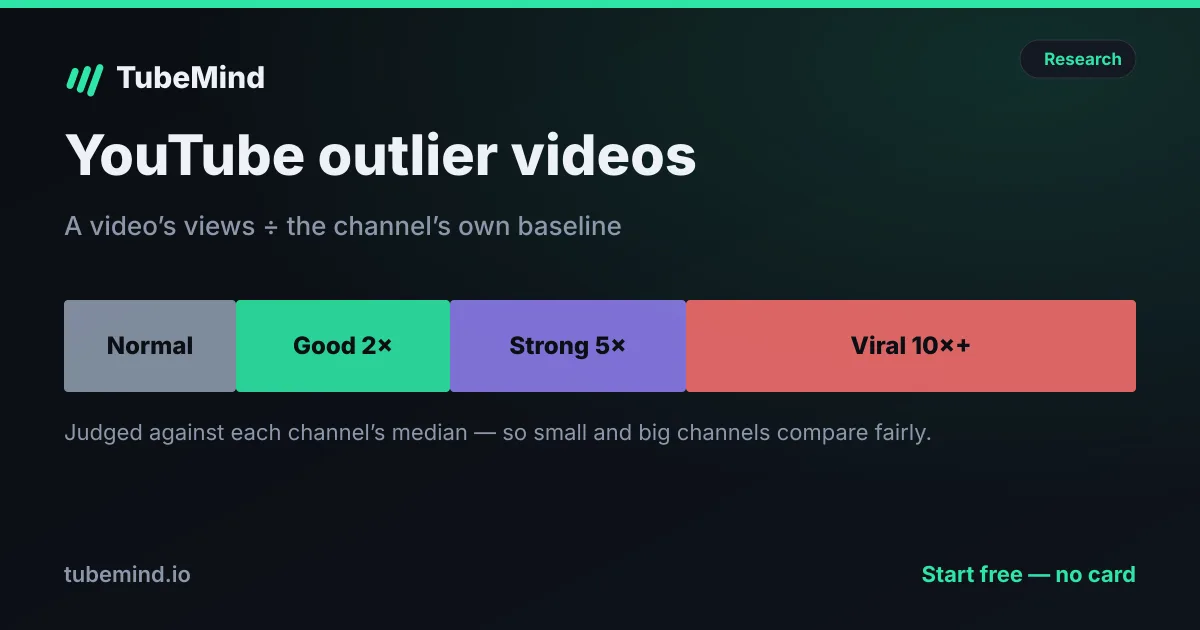
- Collect proof. I ask for outliers in that niche from small channels. Ten videos that beat their channel by 5 times or more tell me more than any keyword tool. If the outlier numbers confuse you, read what a good outlier score is.
- Study the winners. I ask Claude to group the titles into patterns, then I download the thumbnails and look at them myself, because Claude can’t.
- Plan. Only now do I ask for video ideas, and I reject anything that is not tied to a pattern we found.
It does not replace judgement. It replaces the boring part: opening 40 tabs and copying numbers into a sheet. If you are still choosing your direction, start with how to find a profitable YouTube niche, and if you create in Urdu or Hindi, my list of Urdu and Hindi faceless channel ideas pairs well with prompt 2.
Some jobs need no connector at all. The transcript tool and the video summarizer work from a link, and the channel ID finder and video ID extractor give you the IDs most connectors ask for. If you build your own, the API quota calculator shows how far 10,000 daily units go.
Common problems and quick fixes
| Problem | Likely cause | Fix |
|---|---|---|
| Claude answers without calling the connector | The connector is added but not switched on in this chat | Open + → Connectors and turn it on, or say “use TubeMind” in the prompt |
| “Channel not found” | The channel is not indexed yet | Ask Claude to look it up by @handle or URL; TubeMind indexes it on the spot |
| Daily limit reached | Free plan limits | Wait for the reset or upgrade |
| Connector option missing in ChatGPT | Developer mode is off, or your plan lacks it | Settings → Connectors → Advanced |
| Answers feel generic | The question is too broad | Add a niche, a language, a time window and a channel size |
Ready to try it? Add any research connector to Claude and ask prompt 3 above.
Sources & method
Facts are from Anthropic (Introducing the Model Context Protocol, custom connectors help article) and Google (YouTube Data API quota costs), all opened on 28 October 2026. For the comparison of connector types we studied the top-ranking pages for “YouTube MCP server” and “connect Claude to YouTube” on the same day. TubeMind tool names and behaviour are from our own connector. Plans and menus change often; if a step looks different in your app, tell us and we will update this guide.
Research right on YouTube: the free TubeMind Chrome extension shows the outlier multiplier, a revenue estimate and similar channels on YouTube pages.
Frequently asked questions
Can Claude access YouTube data?
Not on its own. Claude only sees YouTube data when you add a connector (an MCP server) that fetches it. Once connected, Claude can pull channel stats, outlier videos, niche data or transcripts in the middle of a chat and reason over them.
What is a YouTube MCP server?
It is a small service that speaks the Model Context Protocol, the open standard Anthropic released in November 2024, and gives an AI assistant tools like “search channels” or “get transcript”. The assistant decides when to call a tool, and the server returns real YouTube data instead of the model guessing from memory.
Can I connect Claude to YouTube on the free plan?
Yes. Anthropic’s help centre says custom connectors work on Free, Pro, Max, Team and Enterprise plans, and that “Free users are limited to one custom connector.” A connector may have its own free plan with daily limits. TubeMind’s connector is paused while YouTube reviews our API use, so it returns no data for now.
Can Claude watch my YouTube video?
No. Connectors hand Claude text and numbers: titles, views, dates, comments and transcripts. It never sees your thumbnail, editing or pacing, so judge the visuals yourself and use Claude for the patterns in the data.
Is it safe to connect my YouTube channel to an AI?
Research connectors that only read public data are low risk. Be careful with connectors that ask to sign in to your Google account with write access, because they can edit titles, reply to comments or change visibility. Anthropic warns that unverified servers can carry hidden instructions, so only add connectors from companies you trust.
Do I need a YouTube API key to connect Claude to YouTube?
Only for do-it-yourself servers you run on your own computer. Hosted connectors run the API on their side, so you just paste one URL. TubeMind’s is paused for now. If you do use your own key, Google’s default quota is 10,000 units per day, with search capped at 100 calls a day.
Does this work with ChatGPT too?
Yes. ChatGPT supports custom MCP connectors through Settings → Connectors, with Developer mode switched on under Advanced on some plans. Which plans include it has changed more than once, so check your own Settings screen.