In this guide
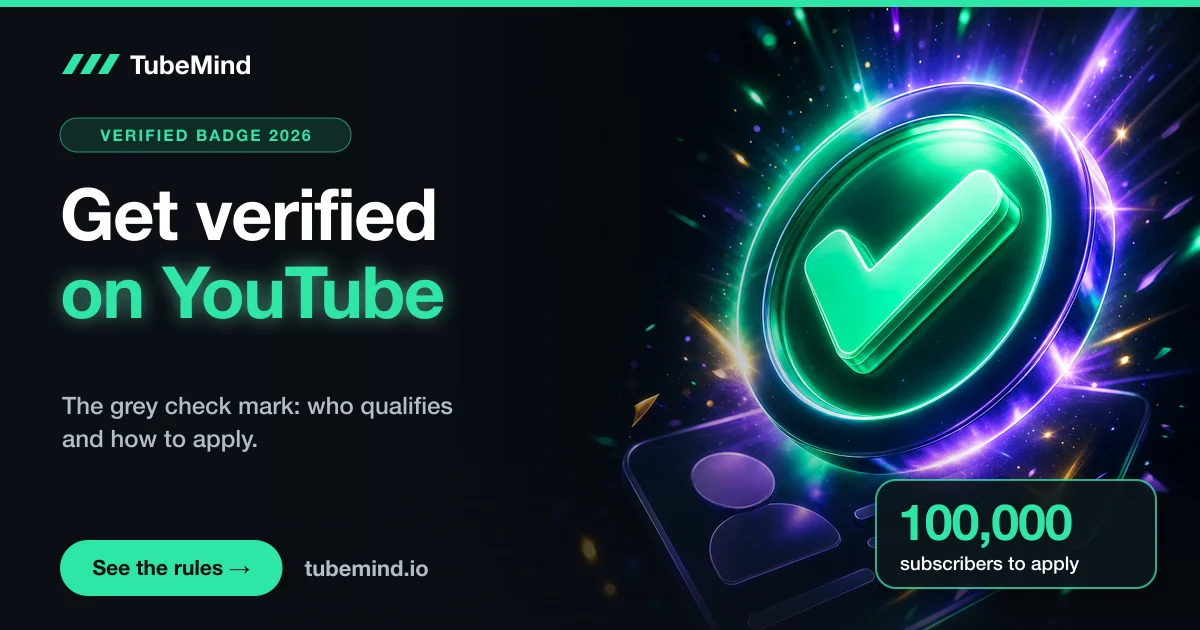
Short answer: To get the grey check mark on YouTube, your channel needs 100,000 subscribers, 2-Step Verification on the Google account, and a complete profile (banner, profile picture, description and at least one public video). Then open YouTube Studio, go to Settings, Channel, Verified badge, and click Apply. YouTube reviews the channel before it adds the badge.
Key takeaways
- You can apply for the badge at 100,000 subscribers. Below that, the Verified badge tab does not show in YouTube Studio.
- 2-Step Verification and a complete profile are required before the Apply button appears.
- The badge is free and gives no extra features. It is not an award and not an endorsement from YouTube.
- Changing your channel name removes the badge. Changing your handle does not.
- Phone verification and ID verification are different things: they unlock features, not the check mark.
"How do I get verified?" is one of the questions creators ask most once a channel starts to grow, and it is also one of the most confused. People mix up three different things: the grey check mark next to a channel name, the music note badge for artists, and the phone or ID verification that unlocks features in YouTube Studio. I have been on YouTube since 2018 and my channel, @Ismailvlogger, is past 100,000 subscribers. On 10 November 2026 I read YouTube's own Help pages on all three, so everything here follows YouTube's current rules.
Start with the table below to make sure you are chasing the right thing. Then check the requirements, and if you qualify, the application takes about two minutes.
Three things creators call "verified" on YouTube
The word "verified" is used for three separate systems on YouTube. They have different rules and do different jobs, so it helps to know which one you mean before you start.
| What it is | What viewers see | Who can get it | What it does |
|---|---|---|---|
| Verification badge | A grey check mark next to the channel name | Channels with 100,000+ subscribers that apply and pass review | Shows the channel is the official one for a creator, brand or public figure |
| Official Artist Channel | A music note next to the channel name | Musicians and bands, through YouTube's artist program | Merges an artist's channels and subscribers into one, plus artist tools |
| Phone or ID verification | Nothing; viewers cannot see it | Any creator, in YouTube Studio | Unlocks intermediate and advanced features, such as long videos and custom thumbnails |
Most people who search "how to get verified on YouTube" want the first one, the grey check mark. That is what most of this guide is about. If you are a musician, the music note comes from the Official Artist Channel program instead, which has its own criteria and application on YouTube Help. And if you only want custom thumbnails or videos longer than 15 minutes, you need phone verification, which I cover further down. It takes a few minutes and has no subscriber requirement.
Requirements for the YouTube verification badge
YouTube Help lists three conditions you must meet before you can even send a request:
- 100,000 subscribers. This is the gate. Below it, the Verified badge option is not shown in YouTube Studio at all.
- 2-Step Verification turned on for the Google account that owns the channel.
- A complete profile: a banner image, a profile picture, a channel description and at least one public video.
Meeting those three only lets you apply. After you apply, YouTube reviews the channel and verifies it only if it is:
- Authentic. The channel must represent the real creator, brand or entity it claims to be. YouTube says it checks several factors, such as the age of the channel, and it may ask you for more information or documents.
- Complete. The channel must be public, have a banner, description and profile picture, have content, and be active on YouTube.
YouTube also says it will not verify channels that try to impersonate another creator or brand. If it finds a channel deliberately impersonating someone, it may take further action against it, so a fan channel named after a famous person will not get the badge.
There is one exception to the 100,000 rule. YouTube may verify a smaller channel on its own initiative if the person or brand is well known outside YouTube, for example a TV presenter or a company that just opened a channel. You cannot apply for this route; YouTube decides it.
How to apply for verification, step by step
Only the channel owner or a channel manager can apply. The application is done on a computer, in YouTube Studio:
- Sign in to YouTube Studio on a computer, with the account that owns the channel.
- Click Settings, then Channel, then the Verified badge tab.
- Click Apply.
What you see on that tab tells you where you stand:
| What you see | What it means | What to do |
|---|---|---|
| No Verified badge tab | You are under 100,000 subscribers | Keep growing; there is nothing to apply for yet |
| A Turn on button | You have 100K but 2-Step Verification is off | Turn on 2-Step Verification in your Google account |
| An Edit your profile button | Your banner, picture, description or public video is missing | Complete the profile, then come back |
| An Apply button | You meet all three requirements | Apply and wait for YouTube's review |
If you just crossed 100,000 subscribers or just turned on 2-Step Verification and the form still does not open, do not panic. YouTube Help says its systems can take a few days to update, so check back after a few days. Also make sure you are signed in with the email address of the channel that qualifies. If you manage more than one channel, this is the most common reason the tab looks wrong.
YouTube Help does not give a fixed review time for verification, and it does not promise an approval. Treat any number you read online as someone's guess.
Verification badge vs Play Button: not the same thing
Both start at 100,000 subscribers, so many creators assume they come together. They do not. They are separate programs, and you have to deal with each one on its own.
| Verification badge | Silver Play Button | |
|---|---|---|
| Subscribers needed | 100,000 to apply | 100,000 |
| Do you apply? | Yes, from Settings in YouTube Studio | No, YouTube contacts you after a review |
| What you get | A check mark next to your name | A physical award shipped to you |
| Main extra rule | 2-Step Verification and a complete profile | Original content, active channel, no strikes |
| Is it an award? | No, YouTube says it is not a milestone or endorsement | Yes, it is a Creator Award |
So when you reach 100K, you will usually wait for the Play Button review and apply for the badge yourself at the same time. My guide to YouTube Play Buttons covers the award side: who qualifies, how to claim it, and shipping to Pakistan and other countries.
Phone and ID verification: the other "verify"
When YouTube Studio asks you to "verify", it is usually talking about feature access, not the check mark. YouTube splits creator features into three levels:
| Level | How you get it | Examples of what it unlocks |
|---|---|---|
| Standard | Create a channel with no active Community Guidelines strikes | Upload videos and Shorts, create playlists, posts |
| Intermediate | Verify your phone number | Videos longer than 15 minutes, custom thumbnails, live streaming from a computer |
| Advanced | Enough channel history, or verify with a valid ID or a video | Clickable links in descriptions, pinned comments, chapters, A/B testing, applying for monetization |
A new channel should verify its phone in the first week, because custom thumbnails and long videos matter from your very first upload. You can see your current level in YouTube Studio under Settings, Channel, Feature eligibility. My guide on starting a YouTube channel in Pakistan includes this step in its week one checklist.
None of these levels puts a check mark next to your name. A brand new channel with phone and ID verification still has no badge, and that is normal.
How you can lose the check mark
Once you have the badge, it stays unless one of these happens:
- You change your channel name. The renamed channel is no longer verified and you must apply again. If you are thinking about a rebrand, plan for this.
- You break the rules. YouTube says it can revoke verification, or terminate the channel, for violations of its Community Guidelines or Terms of Service.
Changing your handle, the @name in your channel URL, does not remove the badge. That is a useful difference: you can tidy up your handle without losing verification, but changing the display name costs you the check mark.
You may also notice old channels with verification that would not qualify today. YouTube Help says verification has changed over time, so you will see many types of channels with the badge. That does not mean the current rules are softer than they look.
Under 100,000 subscribers? How to stand out without the badge
Most channels will not have the badge for a long time, and that is fine. YouTube itself suggests a few ways to set your channel apart from similar ones:
- A unique channel name and handle that say who you are and what you make. If ten channels use a similar name, viewers cannot tell yours apart in search.
- A sharp profile picture. It shows next to every video in search results, so a clear face or logo helps people recognise you.
- A customised channel page, with a banner and layout that match your brand.
If someone copies your name, videos or identity, you do not need the badge to act. You can report impersonation to YouTube through its impersonation reporting page on YouTube Help.
The fastest route to the badge is simply growing to 100,000. If you are stuck well below that, my guides on why a channel is not growing and how to find a YouTube niche are the better place to spend your time.
Mistakes that slow creators down
- Paying someone to get you verified. The badge is free and comes only through YouTube Studio. Anyone selling verification is not YouTube, and some of these offers ask for your login, which puts the whole channel at risk.
- Looking for the tab before 100K. There is no hidden form for smaller channels. If the tab is missing, you are not eligible yet.
- Forgetting 2-Step Verification. It is required for the badge and for the YouTube Partner Program, so turn it on early. It also protects the channel from being hacked.
- Renaming the channel right after you get verified. A display name change removes the badge. Settle your name first, then apply.
- Thinking phone verification is the check mark. It unlocks features, nothing more.
Limits of this guide
Everything here comes from YouTube Help pages as I read them on 10 November 2026. YouTube changes its rules from time to time, so if something in YouTube Studio looks different, the Help page is the final word. YouTube does not publish a review time or an approval rate for verification, so I have not given one. The Official Artist Channel program has its own criteria, which I only summarised here.
Sources
- YouTube Help: Verification badges on channels, read 10 November 2026.
- YouTube Help: Learn about feature access for YouTube Creators, read 10 November 2026.
- YouTube Help: Introduction to Official Artist Channels, read 10 November 2026.
Research right on YouTube: the free TubeMind Chrome extension shows the outlier multiplier, a revenue estimate and similar channels on YouTube pages.
Frequently asked questions
How many subscribers do you need to get verified on YouTube?
100,000. YouTube Help says the Verified badge tab only appears in YouTube Studio once a channel reaches 100,000 subscribers. YouTube may also verify a smaller channel on its own if the person or brand is well known outside YouTube, but there is no way to apply for that.
Is the YouTube verification badge free?
Yes. You apply from YouTube Studio and YouTube does not charge for it. YouTube does not sell the check mark, so anyone who offers to get your channel verified for money is not working with YouTube.
Does the verification badge give you more views or features?
No. YouTube Help says verified channels do not get extra features, and the badge is not an award, a milestone or an endorsement from YouTube. It only tells viewers that the channel is the official one for that creator, brand or public figure.
Will I lose the check mark if I change my channel name?
Yes. If you change your channel name, the renamed channel loses verification and you have to apply again. Changing your handle (the @name) does not remove the badge.
Is verifying my phone number the same as getting verified?
No. Phone verification unlocks intermediate features such as videos longer than 15 minutes and custom thumbnails. It does not give you the check mark next to your name. The check mark needs 100,000 subscribers and a separate application.