In this guide
Key takeaways
- Slow growth has four possible stages to blame: impressions, clicks, watching and returning. Fixing the wrong one wastes months.
- YouTube Help says half of all channels and videos have an impressions click-through rate between 2% and 10% (checked 3 November 2026).
- Videos with under 100 views and channels less than a week old show unstable numbers, so judge patterns across 10 or more videos.
- In TubeMind's data on 3 November 2026, the average channel in a niche got about 12.5 times the views of the typical (median) channel, across 39 niches. Big channels make small ones look worse than they are.
- The first fix is usually the topic or the packaging (title and thumbnail), because nothing after the click matters if nobody clicks.
You upload every week. You learned editing, bought a microphone, and maybe watched a dozen videos about the algorithm. And the numbers still sit there: 40 views, 60 views, two new subscribers a month. It feels like YouTube has decided to ignore you.
I have been making videos on YouTube since 2018, and the most useful thing I can tell you is this: "my channel is not growing" describes a result. It does not tell you the cause. A channel stuck at 50 views because YouTube never shows it needs a completely different fix from a channel stuck at 50 views because people click and leave after ten seconds. This guide is a diagnosis. You will check four numbers in YouTube Studio, find the one stage that is blocked, and fix that first. If your views were fine and then fell suddenly, that is a different problem, and I wrote a separate guide on why YouTube views drop.
First, check that your channel is stuck and not just early
Short answer: if your channel has fewer than about 10 videos, or most videos have under 100 views, the numbers are too small to diagnose anything yet.
This is not me being kind. It is how the numbers work. YouTube's own help page on impressions says that new videos and channels, like those less than a week old, and videos with fewer than 100 views can show a wider range of click-through rates than normal. In plain words: with tiny numbers, one viewer more or less swings your percentages a lot.
Here is a simple example. Say your video got 200 impressions and 6 clicks. That is a 3% click-through rate. If just 4 more people had clicked, it would be 5%. A two point jump that looks like a big improvement came from four people. You cannot learn much from that.
So before you change anything, ask yourself three questions:
- Do I have at least 10 videos on the same topic and in the same format (all long videos, or all Shorts)?
- Have I been uploading for at least two or three months?
- Are my numbers flat across most videos, or did one or two do better?
If you answered no to the first two, you are probably early. Your channel is not stuck yet. Keep publishing and come back to this guide later. If one or two videos did clearly better than the rest, that is good news. It means some version of your content works, and the job is to make more of that version. If you answered yes to all three and everything is flat, keep reading.
The four stages every view has to pass through
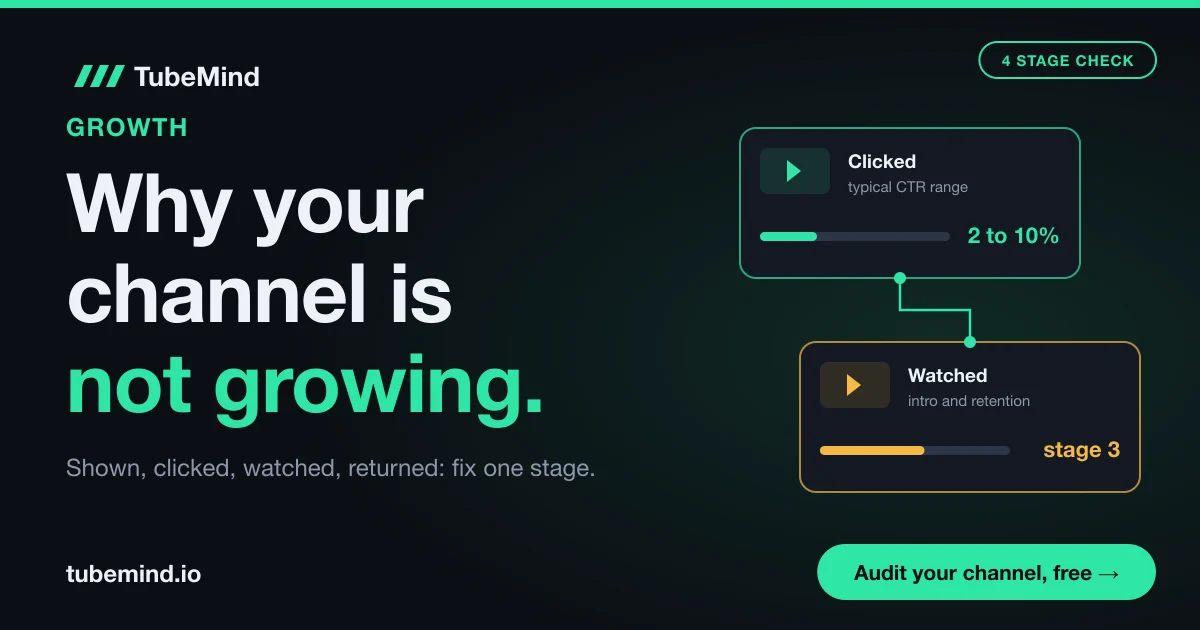
Every new viewer reaches your channel through the same four steps. YouTube shows the video, the person clicks, the person watches, and later the person comes back. If any one step is weak, growth stops there, no matter how good the other three are.
YouTube has explained that its recommendations learn from clicks, watch time, survey answers, shares, likes and dislikes. Its VP of Engineering, Cristos Goodrow, wrote on the YouTube Official Blog that clicks alone were not enough, because a click does not mean the viewer liked the video. That is why you need to check every stage, not only views.
Here are the four stages, the number that measures each one, and where to find it.
| Stage | What it means | Number to check | Where in YouTube Studio |
|---|---|---|---|
| 1. Shown | YouTube puts your thumbnail in front of people | Impressions | Analytics, Content tab (or Reach on some layouts) |
| 2. Clicked | People choose your video over the others next to it | Impressions click-through rate | Same place, next to impressions |
| 3. Watched | People stay after they click | Average view duration and the Intro (first 30 seconds) percentage | Open one video, then Analytics, Engagement |
| 4. Returned | People come back for your next video | New, casual and regular viewers | Analytics, Audience tab |
Read the table from top to bottom, like a pipe. Water that never enters the pipe at stage 1 cannot leak at stage 3. So if your impressions are tiny, do not spend a week reworking your intros. Start where the pipe is blocked.
A quick example of how this works. Say channel A gets 50,000 impressions a month but a 1.5% click-through rate. Its problem is stage 2. Channel B gets only 3,000 impressions a month, but 9% of people click and most watch to the end. Its problem is stage 1. Both channels have roughly the same small view count, and they need opposite fixes.
How to find your stuck stage in 15 minutes
Open YouTube Studio on a computer, go to Analytics, and set the date range to the last 90 days. Ninety days gives you enough videos to see a pattern while still showing your recent work. Then follow these steps in order.
- Split Shorts and long videos. In the Content tab, look at long videos and Shorts separately. They are found and watched in different ways, so mixing them hides the problem. If you make both, run this check twice.
- Check impressions per video. Divide your total impressions by the number of videos you published in the period. Say you got 12,000 impressions from 12 videos. That is about 1,000 impressions per video. Write it down.
- Check click-through rate. Look at the impressions click-through rate for the same period. Compare it with your own past videos first, and with YouTube's general 2% to 10% range second.
- Check the first 30 seconds. Open your last five long videos one by one, go to the Engagement tab, and look at the audience retention graph. YouTube shows an Intro figure: the share of viewers still watching after 30 seconds.
- Check returning viewers. In the Audience tab, look at new, casual and regular viewers. YouTube Help defines casual viewers as people who watched in one to five of the past 12 months, and regular viewers as people who watched in more than six months.
Now compare what you wrote down. The first stage that looks weak is your stuck stage. Here is how I would read each result.
| What you see | Stuck stage | Most likely cause | Fix first |
|---|---|---|---|
| Few impressions, even on your best videos | 1. Shown | Topic has little demand, or YouTube does not know who the channel is for | Change topics to ones with proven demand |
| Good impressions, click-through rate well below your own average or under about 2% | 2. Clicked | Title and thumbnail do not make the promise clear | Rewrite packaging, test it |
| Fair clicks, but most viewers leave in the first 30 seconds | 3. Watched | The opening does not match the title, or starts too slowly | Rework the first 30 seconds |
| Decent views, but almost all viewers are new each month | 4. Returned | Every video is a different topic, so nobody has a reason to return | Build series and repeat formats |
Let me explain how to use this table with a hypothetical case. Say your 90 days show 800 impressions per video, a 6% click-through rate and 45% of viewers still there at 30 seconds. The click-through rate is fine, and 45% at 30 seconds is not terrible. But 800 impressions per video is tiny. Your stuck stage is the first one. Better thumbnails will not help much, because only 800 people see them.
Stage 1 fixes: when YouTube is not showing your videos
If impressions are low, the problem is almost always the topic. Video quality comes later. YouTube can only show a video to people who want that kind of video, and if very few people want it, very few people see it.
Your topic has little demand
Some topics simply have a small audience. A detailed review of a rare camera lens might be excellent and still reach 300 people, because only 300 people care. Before you blame the algorithm, check whether anyone is watching that topic at all.
The fastest way is to look at small channels in your topic. If channels with fewer than 10,000 subscribers are getting videos well above their usual views, the topic is open. If only the giants get views, it is hard. TubeMind's niche checker counts these breakout small channels for you, and the outlier finder shows which exact videos beat their channel's normal views, so you can see which topics are pulling viewers right now.
YouTube cannot tell who your channel is for
If your last ten videos cover cooking, a phone review, a vlog and a gaming clip, every video reaches a different small group, and none of them builds on the last. Say video one gets shown to people who like cooking. They watch. Then your next upload is a phone review, and those same viewers have no reason to click. YouTube learns from viewers, so a channel with no clear audience gets weak signals every time.
You do not need one tiny topic forever. But for the next 10 to 20 videos, pick one audience and stay with them. My guide on how to pick a YouTube niche with data walks through how to choose.
Your video titles do not match what people type
For small channels, search is often the first door. If your title says "My thoughts on this year" and people search "best budget phone under 200 dollars", YouTube has no reason to match them. Use the words your viewers would type. TubeMind's keyword research tool shows phrases taken from titles of videos that are getting views, and you can check where a video sits for a search with the steps in how to check your video's ranking.
A note on tags: YouTube Help says tags play a minimal role in discovery and are mostly useful for words people often misspell. Spending an hour on tags will not fix stage 1.
Stage 2 fixes: when people see your video but do not click
If impressions are healthy and clicks are low, your title and thumbnail are not doing their job. This is the cheapest stage to fix, because you can change packaging on videos you already published.
Here is what I would check on each low click video:
- One clear promise. Can a stranger tell, from the title alone, what they will get? "I tried 5 cheap microphones under $50" is clear. "Mic stuff" is not.
- Readable on a phone. Text on the thumbnail should be three or four words at most, big enough to read at a small size.
- Different from the videos next to it. If every thumbnail in your topic is red with a shocked face, a calm, clean one can stand out.
- Title and thumbnail work together. The thumbnail should add something the title does not say instead of repeating it word for word.
Before you upload, you can check a title with TubeMind's title analyzer, which flags titles that get cut off on mobile, and preview thumbnails next to competitors with the thumbnail tester.
After you upload, use YouTube's own testing. Its A/B test for titles and thumbnails lets you test up to three titles, three thumbnails, or both together on long videos from YouTube Studio on desktop. YouTube picks the winner by watch time share instead of clicks. That is a sensible choice for you too: a thumbnail that gets many clicks but makes people leave early is not a win.
Stage 3 fixes: when people click and then leave
If people click and then leave inside the first 30 seconds, your opening is breaking the promise the title made. This is the most common problem I see with creators who are good at thumbnails.
YouTube's help page on audience retention and key moments explains the Intro figure: the percentage of viewers still watching after 30 seconds. A high figure, YouTube says, suggests the opening matched what the title and thumbnail promised. It also says that if your top moments come late in a video, you should bring compelling content earlier.
Open the retention graph of your weakest video and look for these shapes:
- A steep drop in the first few seconds. The viewer expected something else. Show the thing from the title in the first sentence.
- A sudden dip in the middle. Something there was boring or off topic. Watch that part and be strict with yourself.
- A spike. People rewatched or skipped to that part. It is often the moment they came for, so get there faster next time.
A practical example. Say your video is titled "How to grow tomatoes on a balcony" and the first 40 seconds are a channel intro, a greeting and a story about your weekend. The viewer came for tomatoes. Start with the result instead: the balcony with ripe tomatoes, and one sentence on what they will learn. Then do your greeting if you like.
TubeMind also has a free channel audit that scores upload activity, recent views, engagement and the channel page from public data, and lists the three fixes that matter most. It cannot see your private retention numbers, so use it alongside the Studio graph.
Stage 4 fixes: when viewers watch once and never return
If almost all of your viewers are new every month, people like single videos but see no reason to come back. Channels grow when viewers return, because returning viewers watch more videos and tell YouTube who else might like them.
YouTube's help page on new, casual and regular viewers splits your monthly audience into three groups. New viewers watched you for the first time. Casual viewers watched in one to five months of the past year. Regular viewers watched in more than six months. YouTube says both casual and regular viewers are returning to your channel.
To bring people back:
- Make series. Part 1, part 2 and part 3 give the viewer a clear reason to watch the next video.
- Repeat a format that worked. If one "I tested 5 cheap X" video did well, make more of them on related things.
- End each video by pointing to one specific next video. One clear choice works better than a list of five.
- Upload on a pace you can keep. A regular rhythm you can hold for six months beats a burst of daily videos that stops after three weeks.
Here is what this looks like in numbers. Say a channel has 2,000 monthly viewers and 1,900 are new. Only 100 came back. If series and repeat formats move returning viewers to 400, each new video starts with four times as many likely watchers on day one, and YouTube gets a stronger early signal.
What our data shows: you are probably comparing yourself with the wrong channel
Short answer: in most niches, a handful of very large channels pull the average far above what a typical channel gets. If you measure yourself against the average, or against the channel you admire, you will think you are failing even when you are normal.
On 3 November 2026, TubeMind's index held 21,466 channels and 1,785,955 videos, with 39 tracked niches. For each niche, we take each channel's average views on its last 30 uploads, then compare the mean of those numbers with the median (the channel exactly in the middle). Across the 39 niches, the mean was about 12.5 times the median. Here are five niches as examples.
| Niche | Channels tracked | Average channel's views per video | Typical (median) channel's views per video | How many times bigger |
|---|---|---|---|---|
| Hindi Facts & Mystery | 288 | 787,053 | 39,046 | 20.2x |
| Cooking & Recipes | 515 | 624,964 | 35,419 | 17.6x |
| Pakistan Explained | 189 | 91,179 | 7,034 | 13.0x |
| Geography & Maps | 209 | 479,364 | 37,057 | 12.9x |
| Psychology Facts | 357 | 52,386 | 7,555 | 6.9x |
Let me explain the first row in plain words. In Hindi Facts & Mystery, if you add up every tracked channel's typical video views and divide by the number of channels, you get about 787,000 views. But the channel in the exact middle of the list gets about 39,000. A few huge channels lift the average twenty times above the middle.
Two lessons come from this. First, if a "how much views should I get" guide quotes an average, it is quoting the giants. Compare yourself with channels close to your size instead. TubeMind's outlier finder lets you filter by channel size, so you can see what small channels in your topic get.
Second, small channels do break out. The same check on 3 November 2026 counted 63 young winners in Motivation & Stoicism and 57 in Cricket Analysis. A young winner, in TubeMind's niche checker, is a channel under 10,000 subscribers with a recent video far above its own usual views. So small channels are getting through in many topics. If none of them are in yours, that tells you something about the topic.
Keep the limits in mind. TubeMind's index is a sample built from channels fetched through the official YouTube Data API. It does not cover all of YouTube, and niche numbers update through the day. Use the figures to compare niches with each other. The full method is on how our scores work.
Things that are usually not the reason
Most of the fixes creators try first sit outside the four stages, so they rarely move the numbers. Here are the ones I would stop worrying about.
- A "shadowban". If your videos get impressions at all, YouTube is showing them. Low numbers point to one of the four stages. If a video breaks a rule, Studio tells you with a restriction or a strike notice, and you can see it there.
- Tags and hashtags. YouTube Help says tags play a minimal role in discovery. Hashtags help people browse a topic, but they will not rescue a weak title.
- Sub for sub groups. Subscribers who do not care about your topic do not watch. They make your numbers look worse, because YouTube shows your videos to them and they scroll past.
A 30 day plan for a stuck small channel
Once you know your stuck stage, give yourself 30 days and change only that stage. If you change topic, thumbnails, intro and upload days all at once, you will never know which change worked.
- Day 1: write down your baseline. Impressions per video, click-through rate, Intro percentage and returning viewers for the last 90 days. These are your before numbers.
- Days 2 to 5: study five small channels in your topic. Find videos from channels near your size that beat their usual views. Note their topic, title shape and thumbnail style. Use them as patterns, never as copies.
- Days 6 to 30: publish 4 to 8 videos that fix only your stuck stage. Stage 1: new topics with proven demand. Stage 2: new packaging on each video and an A/B test on two old ones. Stage 3: openings that show the promise in the first sentence. Stage 4: a three part series.
- Day 30: compare with your baseline. Look at the same four numbers. If your stuck stage improved, keep the change and move to the next weakest stage.
- If nothing moved after two rounds, change the topic. Two months of focused fixes on one stage is a fair test. After that, the topic itself is the most likely problem.
YouTube Channel Audit
Paste any channel and get a 0 to 100 score from public data (channel page, upload activity, recent views, engagement and metadata), with the three fixes to make first.
Run a free channel auditWhen this advice does not fit your channel
This guide is for channels that have been flat or slow from the start. It does not fit every case, and I would rather tell you that than have you fix the wrong thing.
- Your views were good and then fell. A sudden drop after steady growth has different causes, like a change in what YouTube shows or a run of weaker topics. Read why your YouTube views are dropping instead.
- You are growing but not earning. If subscribers and views are fine and money is the problem, that is about the YouTube Partner Program. My guide on why a channel is not monetized covers it.
- Shorts only channels. Shorts are found mostly by swiping, and click-through rate works differently there. Focus on how many viewers keep watching instead of swiping away, and on whether Shorts viewers also watch your long videos.
- Very new channels. With under 10 videos or under 100 views per video, YouTube itself says the numbers can be unstable. Publish more before you diagnose.
- Made for kids content. Some features, like comments and the A/B test, are not available on videos made for kids, so a few fixes here will not apply.
Also remember that all the benchmarks in this guide are ranges. A 4% click-through rate can be excellent in one topic and weak in another. Your own past videos are always the best comparison.
Sources and method
Official YouTube facts were checked on 3 November 2026: the impressions click-through rate range and the note on new channels and videos under 100 views from YouTube Help, impressions and click-through rate FAQs; the Intro figure and retention patterns from YouTube Help, audience retention and key moments; title and thumbnail testing from YouTube Help, A/B test titles and thumbnails; new, casual and regular viewers from YouTube Help; the role of tags from YouTube Help, add tags to your videos; and recommendation signals from the YouTube Official Blog post by Cristos Goodrow (September 2021). TubeMind figures come from our public index on 3 November 2026: 21,466 channels, 1,785,955 videos and 39 niches. Mean and median views use each channel's average views on its last 30 uploads. Young winner counts come from TubeMind's niche data the same day. Method in how our scores work. All examples marked "say" are hypothetical.
Not sure where your channel stands? Audit it for free, then open Studio and find your stuck stage.
Research right on YouTube: the free TubeMind Chrome extension shows the outlier multiplier, a revenue estimate and similar channels on YouTube pages.
Frequently asked questions
How long does it take for a YouTube channel to start growing?
There is no fixed time, and YouTube does not publish one. What I would say is: do not judge a channel before about 10 videos in the same topic and format, and two to three months of uploads. Before that, YouTube Help notes that numbers on new channels and on videos under 100 views can swing widely, so they cannot tell you much.
Is it normal to get under 10 views on a new YouTube channel?
Yes, for the first few videos it is common. YouTube does not yet know who to show a new channel to, so early videos often reach only a handful of people. If you are still under 10 views after 10 or more videos, check impressions in YouTube Studio. Very low impressions usually point to a topic with little demand or titles that do not match what people search.
Does YouTube stop showing videos from small channels?
No rule blocks small channels. YouTube recommends videos based on how viewers respond to them, and TubeMind's data on 3 November 2026 showed dozens of channels under 10,000 subscribers breaking out in single niches, such as 63 in Motivation and Stoicism. If your impressions are low, the topic or packaging is the more likely cause.
What is a good click-through rate for a small YouTube channel?
YouTube Help says half of all channels and videos have an impressions click-through rate between 2% and 10%. That range is wide because it depends on topic and on where the video was shown. A video shown widely on the Home page will often have a lower rate. Compare each video with your own recent average first, and treat a rate far below it as the warning sign.
Should I delete old videos that got no views?
I would not delete them just for low views. Deleting removes any watch time and comments they earned, and a weak old video is not the reason your next one fails. A better use of them is to test a new title and thumbnail with YouTube's A/B test. Only hide or remove a video if it is off topic and confuses what your channel is about.
Will Shorts help my long video channel grow?
Shorts can bring new viewers, but they do not always turn into long video viewers. Shorts are found by swiping, while long videos are found through search, Home and suggestions. If you post both, check your Audience tab to see whether Shorts viewers also watch your long videos. If they do not, treat Shorts as a separate experiment rather than a fix for slow long video growth.
Does uploading more often fix slow growth?
Only if your stuck stage is the last one, returning viewers. More uploads of a topic nobody searches for, or with thumbnails nobody clicks, give you more videos with the same low numbers. Find your stuck stage first. Once your videos get clicks and watch time, a steady pace you can keep for months helps viewers come back.
Why do I get views but almost no subscribers?
Usually because each video stands alone. A viewer who liked one video sees no reason to expect more like it. Make series, repeat formats that worked, and say in the video what the channel is about. Check the Audience tab too: if almost all your viewers are new each month, the fix is giving them a reason to return.
Should I start a new channel if mine is not growing?
Not as a first step. A new channel starts from zero and keeps the same problem if the cause is the topic, the packaging or the opening. Run the four stage check and a focused 30 day fix first. If two rounds of fixes on the same topic change nothing, changing the topic on your existing channel is usually smarter than starting over.
Do tags or hashtags help a small channel grow?
Very little. YouTube Help says tags play a minimal role in a video's discovery and are mainly useful for words people commonly misspell. Hashtags help people browse a topic. Neither one fixes a weak title, thumbnail or opening, so spend that time on the stage that is stuck.