In this guide
Way 1: see the keywords you already rank for, inside YouTube Studio
Start here, because it is the only source that is exact. Open YouTube Studio → Analytics → Reach. The card Traffic source: YouTube Search lists the specific search terms that brought viewers to your videos, with the share of search traffic each one sent (YouTube Help: understand your video reach). Click a video first and the card narrows to that video’s terms.
Two things this report does not tell you: the position you held for each term, and the terms you could rank for but do not yet. For the position, take the terms to Way 3. For new terms, open Analytics → Trends, where the Top searches card “shows the top searches based on your audience and your saves over the last 28 days” and a content gap is flagged “when viewers can’t find enough quality search results on YouTube for a specific search” (YouTube Help: Trends tab). A content gap next to a term your audience searches is the best keyword brief YouTube will ever hand you.
Way 2: search it yourself, and why that number lies a little
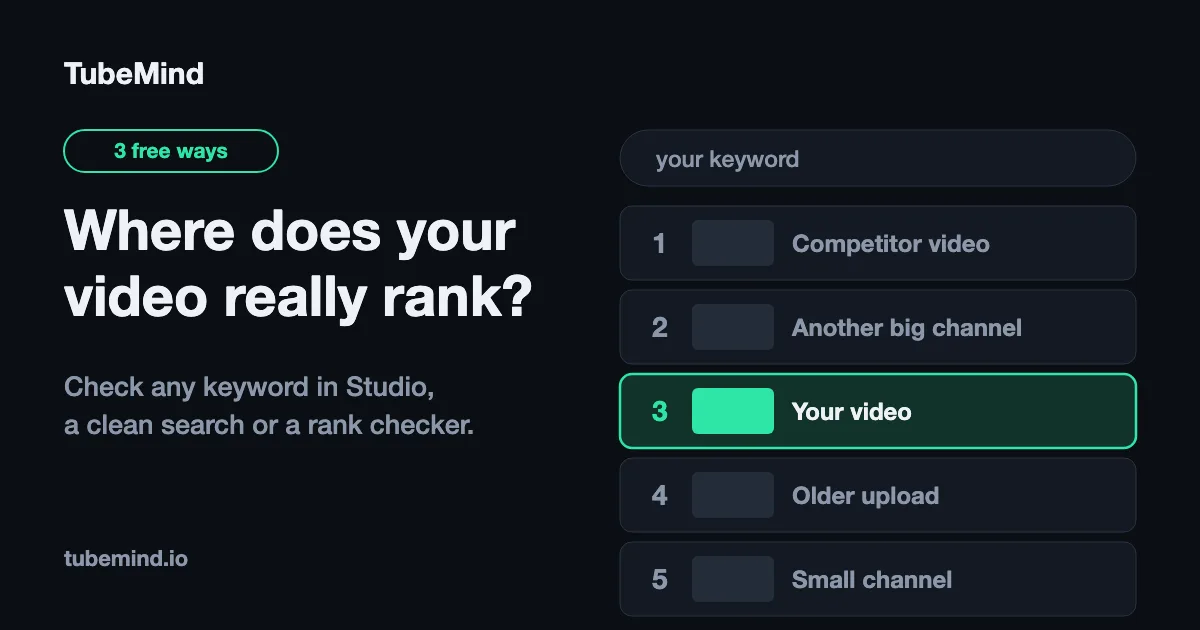
Open a signed-out or incognito window, type the keyword, count down to your video. It works, and it is free, but YouTube’s own documentation explains why it is not the whole truth: “our system may also consider your search and watch history… your search results might differ from another user’s search results for the same query” (How YouTube search works). Signing out removes your history but not your location or language, and the search page mixes in Shorts shelves, channel cards and playlists that push the video list down the screen without changing the order among videos.
So a manual check is your position for a viewer like you, today. It is good for a sanity check and bad for a log, because you cannot repeat it the same way next week.
Way 3: use a YouTube rank checker (and read its depth)
A checker asks YouTube’s search API for the results for your keyword in a chosen country and language, in relevance order, and reports where your video sits. The important detail most tools hide: the API returns at most 50 results per query, “acceptable values are 0 to 50, inclusive”, ordered by relevance by default, with regionCode and relevanceLanguage deciding the market (YouTube Data API: search.list). Any tool quoting a position beyond 50 is guessing, and any tool promising “100% accurate” rankings is promising something YouTube says cannot exist.
The TubeMind rank checker does it this way: up to five keywords per run, your video link or your channel @handle, sixteen countries and eleven languages including Urdu, Hindi, Arabic and Bengali, the videos around your position with views and age, the full top 20, and the depth printed on every result. Copy the result link and re-run it next week; that link carries the keywords, video, country and language, so the check is repeatable, which Way 2 never is.
A rank is a snapshot of one market, un-personalised, within the top 50. Anything described more precisely than that is marketing.
Why the three numbers disagree
| Method | What it measures | Exact? | Repeatable? | Best for |
|---|---|---|---|---|
| Studio search-terms report | Terms that already sent you views | Yes | Yes | Knowing what works now |
| Manual search | Your personalised order, today | For you only | No | A quick sanity check |
| Rank checker | Un-personalised relevance order, one country and language, top 50 | For that market | Yes | Tracking a keyword weekly |
Use all three together: Studio tells you which terms matter, the checker tells you where you stand for them in the market you care about, and a manual search confirms what a real viewer sees.
What actually moves a YouTube ranking
YouTube’s help page lists three things, in this order. Relevance: “how well the title, tags, description, and video content match your search query.” Engagement: “overall user engagement, such as the watch time of a particular video.” Quality: signals of “expertise, authoritativeness, and trustworthiness” (source). It also says YouTube “doesn’t accept payment for better placement within organic search results.”
That order is a diagnosis tool. Look at the videos the checker shows above you. If they have the exact phrase in the title and you do not, fix relevance first: put the phrase at the front of the title (100-character limit), answer the query in the first two lines of the description, and set tags under 500 characters with the keyword first, the tags generator counts that limit the way YouTube does, and the video SEO checker scores all of it at once. If they already match the phrase and still have far more watch time, metadata will not pass them; a better video on the same topic will.
YouTube rank vs Google rank vs Studio’s “ranking by views”
These are three different numbers and people mix them up constantly. YouTube rank is what this article is about. Google rank is whether your watch page appears in Google’s video results, which requires the page to be indexed and to have a valid thumbnail; for YouTube-hosted videos Google takes key moments “from the exact timestamps and labels in the video description” (Google Search Central: video best practices). Studio’s “ranking by views” is simply your own videos sorted by views. Chapters with real timestamps help the second; nothing in Studio’s sort order affects the first.
If a video is not ranking, start with the words. The title generator and description generator help you rewrite them, the tag extractor shows the tags of videos that do rank, and the hashtag generator keeps your hashtags few and relevant.
A weekly routine that takes ten minutes
- Monday: open Studio → Reach → YouTube Search card for last 28 days. Copy the top five terms.
- Paste them into the rank checker with your channel @handle, your main country and language. Copy the result link.
- Log date, term, country, language, position in a sheet. That sheet is a rank tracker.
- For any term where you are #11-#30, fix the relevance items above and re-check in two weeks. For terms outside the top 50, find a narrower phrase with the keyword research tool instead of fighting for the head term.
- Once a month, compare the thumbnails of the three videos above you; click-through is the lever that compounds. YouTube reports that half of all channels and videos have an impressions click-through rate between 2% and 10% (CTR FAQ).
Checking rankings for Pakistan, India and Urdu or Hindi queries
Pick the market, not the default. A Lahore cooking channel has three real queries for one dish, the English phrase, the Roman-Urdu phrase and the Urdu-script phrase, and each ranks differently. Check them as three keyword lines with the matching language, in Pakistan and in the Gulf where the same audience lives. Most checkers only offer a country; the TubeMind checker offers the language too, which is the whole point for South Asian creators.
Check your position now with the free YouTube rank checker, then find the next keyword with the keyword research tool.
Ranking starts before you upload, with the phrase you choose. How to do YouTube keyword research walks through the method step by step.
Sources & method
Quotes are from YouTube Help (How YouTube search works, Understand your video reach, Trends tab, Impressions and CTR FAQ), the YouTube Data API (search.list) and Google Search Central (video best practices), all opened on 26 October 2026. Twelve rank-checker pages ranking for “youtube rank checker” were opened the same day for the comparison in the tool page.
Research right on YouTube: the free TubeMind Chrome extension shows the outlier multiplier, a revenue estimate and similar channels on YouTube pages.
Frequently asked questions
How do I see what keywords my YouTube video ranks for?
In YouTube Studio: Analytics → Reach → the Traffic source: YouTube Search card. It lists the exact search terms that brought viewers to your videos. Paste those terms into a rank checker to see the position for each.
Why is my video’s rank different on my phone and on a checker?
YouTube personalises search results by your search and watch history, location and language, so no two viewers see exactly the same order. A checker reports the un-personalised relevance order for one country and language; your phone shows your personalised one.
How many results does a YouTube rank checker look at?
Most look at 20 or 50. The YouTube Data API returns at most 50 results per search query, so any tool promising a position like #137 is estimating. TubeMind’s checker states its depth (top 50) on every result.
How often should I check my YouTube ranking?
Weekly is enough. Rankings move with watch time and new uploads, not hour by hour. Log the date, country, language and position each time so you can see the trend after a month.
Does ranking on YouTube mean ranking on Google?
No. Google indexes YouTube watch pages separately and shows them in its own video results when the page is indexed and has a valid thumbnail; key moments come from timestamps in the description. A video can rank #3 on YouTube and nowhere on Google, or the reverse.
What moves a YouTube ranking?
In YouTube’s own order: relevance (how well the title, tags, description and video content match the query), engagement (such as watch time) and quality signals. Metadata is the fastest to change; watch time decides the rest.