In this guide
Key takeaways
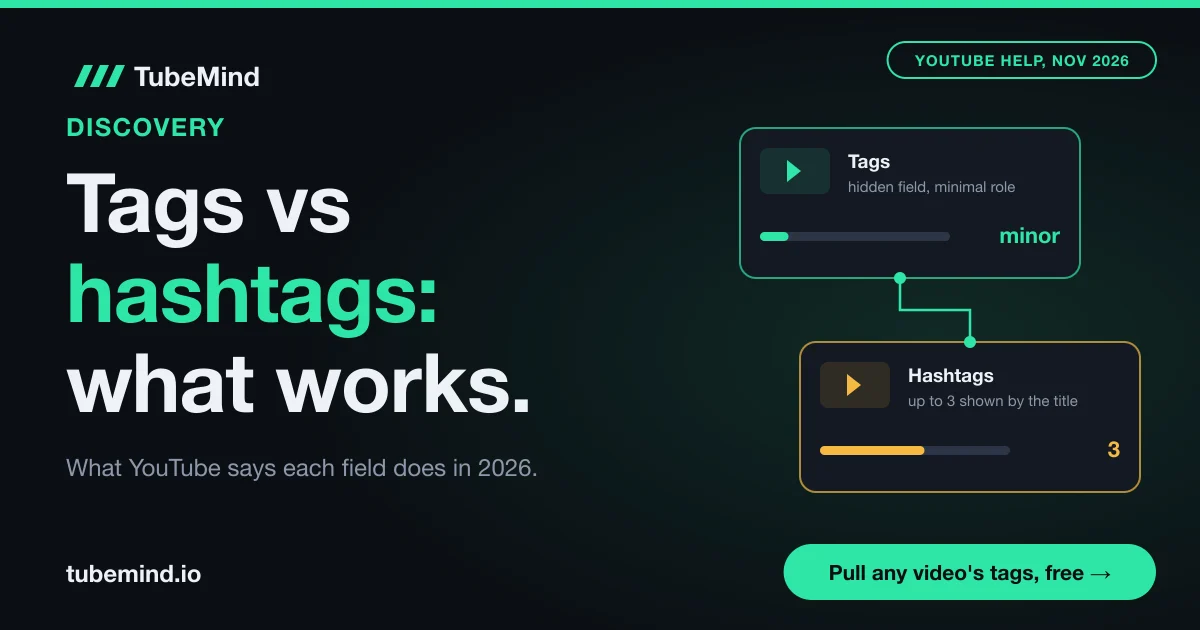
- YouTube's help page says tags play a minimal role in discovery and are most useful when the content of a video is commonly misspelled (checked 3 November 2026).
- YouTube's search help page lists tags as one relevance input next to the title, description and video content. Its recommendations page does not mention tags or hashtags at all.
- Hashtags link a video to a results page for that hashtag, and up to three of them can appear by the title. YouTube's official traffic sources list has no separate entry for hashtags.
- On 3 November 2026, three of the top recipe Shorts in TubeMind's index, with 7.3 million to 10.1 million views, had zero tags. Any video can be checked the same way with our tag extractor.
- Spend about two minutes on tags (spelling variants and alternate names) and pick 3 to 5 hashtags you would click yourself. Put the saved time into the title and thumbnail.
Every few months someone in my comments asks the same question in a slightly different way. "Bhai, tags lagane se views aate hain?" Or: "Should I use 15 hashtags or 3?" Or the opposite worry: "I forgot to add tags. Is my video dead?" The internet does not help. Half the pages say tags are a myth, the other half sell a tag generator that promises you will rank.
I have been on YouTube since 2018 and blogging since 2010, so I have watched this field change a lot. In this guide I am not going to repeat the character limits and counts. Our free YouTube tags generator and hashtag generator pages already cover those in detail. This post answers the bigger question: do tags and hashtags change who finds your video, and what is the evidence? Then it shows you how to test it on your own channel, so you do not have to trust me or anyone else.
Tags and hashtags in plain words
A tag is a hidden keyword you type into the Tags box in YouTube Studio. Viewers never see it on the watch page. A hashtag is a word with a # in front of it that you write in your title or description. Viewers see it, and they can tap it.
That difference in visibility is the whole story. A tag is a note to YouTube's search system. A hashtag is a signpost for people. Once you see them this way, most of the confusion goes away, because you stop expecting one to do the other's job.
Here is how the two compare on the thing this post is about, which is discovery. I have left out limits and counts on purpose, since the tool pages linked above handle them.
| Question | Tags | Hashtags |
|---|---|---|
| Which part of YouTube can it touch? | YouTube search (as one relevance input) | Hashtag results pages, and the search results for that hashtag |
| What does YouTube say about its effect? | "Minimal role" in discovery, useful for misspellings | Links your video to a page of videos sharing the hashtag |
| Does the recommendations page mention it? | No | No |
| Can you see its effect in YouTube Studio? | Partly, through the search terms that bring viewers | Not directly, because there is no hashtag traffic source |
| Can it hurt you? | Yes, if misleading or stuffed into the description | Yes, if unrelated, offensive or over-used |
Read the table row by row and one thing stands out: neither field touches the Home feed or suggested videos, which is where most views on most channels come from. Say your video gets 10,000 views and 7,000 of them come from Home and suggested. No tag or hashtag had a say in those 7,000. They can only help with the slice that comes from search and hashtag pages.
What YouTube itself says, page by page
The short version: YouTube treats tags as a small search input and hashtags as links, and it never names either one as a recommendation signal. I checked four official help pages on 3 November 2026. Here is what each one says and what it means for you.
The tags help page
YouTube's Add tags to your videos page is very direct. It says your title, thumbnail and description are more important for discovery, that tags can be useful "if the content of your video is commonly misspelled", and that otherwise tags play a minimal role. It also warns that adding excessive tags to your description breaks its spam policy.
In plain words: tags are a safety net for spelling. If people type your topic in five different ways, tags help catch the ways your title does not cover.
The search help page
The page on how YouTube search works says relevance looks at how well the title, tags, description and video content match the search. It also lists engagement, such as watch time for that query, and quality, meaning channels that show expertise, authority and trust on a topic. Hashtags are not named as a ranking factor on that page.
This is why people who say tags are "completely useless" are going too far. Tags are on the list. They are just one item among many, and the title and the video itself carry the same kind of meaning in a place viewers also see.
The recommendations help page
YouTube's page on how recommendations work lists signals like watch history, satisfaction surveys, likes and "Not interested" feedback. It does not mention tags, hashtags, titles or any other metadata as a recommendation signal.
That matters because Home and suggested videos are the biggest traffic sources for most channels. If a page that explains recommendations never mentions tags or hashtags, you should not expect them to push a video into feeds.
The hashtags help page
The hashtags help page says hashtags in the title and description link to a results page with other videos sharing that hashtag, and that up to three hashtags "considered most engaging" can appear by the title. It also warns that over-tagging can get a video removed from your uploads or from search. For Shorts, YouTube suggests hashtags while you add text, based on what it calls "a variety of signals".
So a hashtag's job is linking. It gives a curious viewer a door from your video to a topic page, and from that topic page back to your video.
The evidence: what tests and data show
The direct answer: every public test I could find shows tags have little or no visible effect on search, and nobody has shown hashtags move ranking. But every test is small, so treat them as clues rather than proof.
When I studied the pages that rank for this question, most of them gave opinions with no evidence, and several repeated old hashtag limits that YouTube's help page no longer states. Here are the tests and numbers that do exist, with their weak spots.
| Evidence | What was done | What it found | Weak spot |
|---|---|---|---|
| vidIQ case study (published March 2020) | Put a made-up word in tags, titles, descriptions and comments on one channel for a month | The word as a tag did not make videos searchable. In a title it worked in about 10 minutes | One channel, one made-up word, from 2020 |
| Social Video Plaza tests (2026 article) | Added unique nonsense tags to a few videos and searched for them, including again after 29 days | No search results for the tag words | One or two videos per test, no control group |
| TunePocket analysis (updated April 2026) | Counted tag and hashtag use on about 140,000 trending videos | Long videos: 58.3% used tags, 56.9% used hashtags. Shorts: 24.8% tags, 60.5% hashtags | Shows what creators do, not whether it helped |
| TubeMind index (3 November 2026) | Looked at the top Shorts our index returns for "recipe" in the last 90 days | Three Shorts with 7.3 million to 10.1 million views had no tags at all | A handful of videos from one search, not a study |
Let me explain what this table tells you, one row at a time.
The two "nonsense word" tests point the same way. A made-up word that only lives in the tags box does not make a video show up for that word. A made-up word in the title does, within minutes. That fits YouTube's own wording: the title is a stronger signal, and tags are a small one. It does not prove tags are ignored for normal words, because a nonsense word has no viewers searching for it and no history. But it does show the title is where search looks first.
The TunePocket numbers are interesting for a different reason. Shorts creators who trend use hashtags more than twice as often as tags (60.5% against 24.8%). That tells you what successful Shorts creators bother to do. It does not tell you that hashtags caused the trending. A creator who writes "#cricket" may simply be someone who posts a lot and knows the format well.
Our own check is the smallest, and I include it as an example, nothing more. On 3 November 2026 I looked at the top recipe Shorts that TubeMind's index of 1,785,460 videos returned for the last 90 days. Three of them, with between 7.3 million and 10.1 million views, had an empty tags field. You can confirm this kind of thing yourself on any video with our YouTube tag extractor. Those Shorts were found through the Shorts feed, where the content and how viewers react matter far more than hidden keywords. How we fetch and measure videos is explained on how our scores work.
One more example from the same day shows the other side. The newest video in our index about YouTube tags, a Hindi tutorial uploaded on 30 October 2026, carried 18 carefully written tags. When we checked it a few days later, it had 5 views. Tags did not rescue it, which is exactly what YouTube's help page would predict.
Where hashtags send viewers, and why that traffic is small
A hashtag sends a viewer to one place: a results page full of other videos with the same hashtag. That is useful, and it is also the reason hashtag traffic is usually small.
Think about what that page looks like. When someone taps #biryani, they see every recent video tagged #biryani, from huge cooking channels to someone's first upload. Your video is one card among thousands. A hashtag gets you into the room. It does not give you a seat at the front.
There is also a measuring problem. YouTube's traffic sources help page lists Browse features, Shorts, Suggested videos, YouTube search, Sound pages, Playlists and others. There is no separate entry for hashtag pages. So you cannot open Studio and read "Hashtags: 340 views". If hashtag views show up at all, they are mixed into a broader bucket. Some third-party guides describe a hashtag report in Studio, but YouTube's own list does not name one, so I would not plan around it.
Where hashtags earn their place is narrow topics with a clear crowd. A series hashtag that only your channel uses (say, #IsmailExplains) gives a viewer who liked one episode a one-tap way to find the rest. An event hashtag during a cricket series or Ramadan can put your video on a page that many people are browsing that week. A broad hashtag like #viral or #trending does almost nothing, because millions of unrelated videos share it.
When tags still earn their two minutes
Tags are worth filling in when the words people search are not the words in your title. That covers four common cases.
Spelling variants. This is the case YouTube names itself. A channel about the Pakistani drama "Kabhi Main Kabhi Tum" will get searches for "kabhi mein kabhi tum" and "kbhi main kbhi tum". You cannot put every spelling in the title, but you can put the common ones in tags.
Roman Urdu and Hindi. For South Asian creators this is the biggest one. People type the same word in many ways: "Ramzan" and "Ramadan", "namaz" and "salah", "khana" and "khaana", "biryani" and "biriyani". Your title can carry one form. Tags can carry the rest. If you make videos for Urdu or Hindi viewers, this is the most useful thing tags still do.
Alternate names. A product, place or person can have more than one name. A video about the "Pixel 10 Pro" might also be searched as "Google Pixel 10 Pro review" or "Pixel 10P". A video about Lahore's food street might be searched as "Gawalmandi" or "Fort Road food street". Tags are a quiet place for these.
Brand and series names. Adding your channel name and series name as tags costs nothing and can help when someone searches your channel by name with a typo.
Notice what is missing from that list: broad words like "video", "funny", "2026" or "viral". These do nothing for you, and long lists of loosely related tags make the field look like spam. If you want a quick starting list, the tags generator builds one from your title, and you can then add the spelling variants your viewers use.
When hashtags are worth adding
Add a hashtag when you can picture a real person tapping it. If you cannot, leave it out.
Here is a simple way to judge each one. Ask: "If I tapped this hashtag, would the page that opens be full of videos my viewer would enjoy?" For #biryanirecipe, probably yes. For #food, the page is so broad that your viewer would get lost. For #fyp or #viral, the page has nothing to do with your topic at all.
Good hashtags usually fall into three groups:
- The specific topic, such as #biryanirecipe or #pakvseng.
- Your series or channel hashtag, used on every episode so the hashtag page becomes your own playlist.
- A time or place, such as an event, a festival or a city, when the video is about it.
For Shorts, YouTube suggests hashtags as you type text in the Shorts camera, and it marks ones you used before with a clock icon. That is handy for a series hashtag. YouTube does not say the #shorts hashtag is needed for a video to count as a Short. The format and length decide that. How many to use, and the exact rules, are on the hashtag generator page, so I will not repeat them here.
Which field for which job: a decision table
Most confusion comes from asking one field to do every job. This table gives each job to the field that does it best. Read it as "if this is what you want, put it here".
| What you want | Best place | Why |
|---|---|---|
| Rank for your main search phrase | Title, then the first lines of the description, then say it in the video | Search reads all three, and viewers see the title |
| Catch common misspellings | Tags | This is the use YouTube's tags page names |
| Catch Roman Urdu or Hindi spellings | Tags, plus one form in the description | Your title can only hold one spelling |
| Link all episodes of a series | One series hashtag on every episode, plus a playlist | Hashtags create a tappable page; playlists keep viewers watching |
| Show up during an event or festival | One event hashtag, and the event name in the title | People browse event hashtags that week |
| Get into Home and suggested videos | None of these fields | YouTube's recommendations page names viewer signals like watch history, likes and surveys |
| Help a Short get picked up in the Shorts feed | The first seconds of the Short itself | YouTube says Shorts are ranked on performance and relevance to each viewer |
Look at the last two rows, because they matter most. The places that send the most views on most channels, Home, suggested and the Shorts feed, are not driven by tags or hashtags in anything YouTube has published. Say you make a 10-minute Lahore food video. A good title and thumbnail decide whether people click it on Home. How long they watch decides whether YouTube shows it to more people. The tags only help the person who typed "gawalmandi food" into search.
If you want to see whether your title, description and tags line up on a single video, the video SEO checker scores them together, so you can see which one is weak.
How to test tags and hashtags on your own channel
You can check all of this for free in YouTube Studio, in about 15 minutes a week. Here is the routine I would follow.
- Open the search terms report. In Studio, go to Analytics, then Reach, then the card called Traffic source: YouTube Search. It lists the exact phrases that brought viewers. YouTube's traffic sources page confirms this card shows specific search terms.
- Compare those phrases with your title and tags. Write down which phrases appear only in your tags and nowhere in your title, description or speech. If a phrase like that brings views, your tags are doing their small job. If every phrase that brings views is already in your title, the tags added nothing new.
- Check spelling variants by hand. Search two or three spellings of your topic while signed out or in a private window, and see where your video appears. Our rank checker does this for you and shows how deep your video sits in the results.
- Test one series hashtag for a month. Pick a hashtag nobody else uses, add it to every episode, and tap it yourself each week. If the page shows all your episodes, it works as a mini playlist. Ask viewers in a pinned comment to tap it, then watch whether views on older episodes go up.
- Change one thing at a time. If you edit tags, title and thumbnail on the same day, you will never know which one helped. Change the tags first, wait two weeks, then judge.
Our guide on checking where your video ranks walks through the search terms report and rank checking in more detail. If you have access to the new Research tab in YouTube Studio, it can also show you what your viewers search for, which tells you which spellings to put in tags.
Mistakes that waste time or cause trouble
Most tag and hashtag mistakes are about time, but a few can hurt a video. Here are the ones I see most.
- Stuffing tags into the description. YouTube's tags page says excessive tags in the description break its spam policy. A block of 40 keywords under your video is a risk with no reward.
- Using a competitor's channel name as a tag. It is misleading, and YouTube's spam policies cover misleading metadata.
- Adding unrelated trending hashtags. YouTube says not to add hashtags that are not directly related to the video, and that over-tagging can remove a video from search.
- Spending 30 minutes on tags and 2 minutes on the title. Flip that.
- Copying another video's tag list word for word. Their words fit their title. Check what they used with the tag extractor if you are curious, then write your own.
- Blaming tags for a weak video. If impressions are fine but clicks are low, the title and thumbnail are the problem. If clicks are fine but people leave early, it is the video.
Limits of this advice
Everything above rests on what YouTube publishes plus a few small public tests. YouTube does not share the weight of each search signal, so nobody outside YouTube can give you an exact number for how much a tag helps. The vidIQ and Social Video Plaza tests used made-up words on one channel each, which is a long way from normal searches on a busy topic. The TunePocket numbers count habits, not results. Our own recipe example is a handful of Shorts from one search on one day.
There is also a case where tags may matter more than this post suggests: tiny topics with very little competition and many spelling forms, such as a regional dish or a local language. There, a well-placed variant in your tags might be one of very few matches. Your own search terms report is the only place you will find out.
And things change. YouTube rewrites its help pages without notice. I checked every official quote here on 3 November 2026. If you read this much later, open the pages linked below before you rely on a detail.
Sources and method
Official YouTube pages checked on 3 November 2026: Add tags to your videos, Find videos using hashtags, How YouTube search works, How YouTube recommendations work and Traffic sources. Third-party evidence: vidIQ's tag case study (published March 2020), Social Video Plaza's tag tests (2026 article, undated), TunePocket's trending video analysis (updated April 2026, about 140,000 videos, method not published). TubeMind data: index size of 1,785,460 videos and 21,452 channels from our public index stats, and video tags read from our keyword search for "recipe" and "youtube tags" over the last 90 days, both on 3 November 2026, from data fetched through the official YouTube Data API. Method in how our scores work. To see which kinds of videos break out in your topic regardless of tags, read our guide to YouTube outlier videos.
Want the search phrases worth putting in your title first? Research keywords for free, then check any video's tags with the tag extractor.
Research right on YouTube: the free TubeMind Chrome extension shows the outlier multiplier, a revenue estimate and similar channels on YouTube pages.
Frequently asked questions
Can YouTube tags hurt my video?
Normal tags will not hurt a video. Trouble starts when tags are misleading, such as another creator's name, or when you paste a long block of keywords into the description, which YouTube's tags help page calls a breach of its spam policy. Keep tags short, on topic and true to the video, and they carry no risk.
Do hashtags help a video rank higher in YouTube search?
YouTube's page on how search works lists the title, tags, description and video content as relevance inputs, and engagement and quality signals next to them. Hashtags are not named there. A hashtag mainly links your video to its hashtag results page. If you want to rank for a phrase, put it in the title first.
Should the same words go in my title, tags and hashtags?
Your main phrase belongs in the title and early in the description. Tags should hold what the title cannot: other spellings, Roman Urdu or Hindi forms and alternate names. Hashtags should be the few topic or series words a viewer would tap. Repeating the same three words in all three places adds nothing.
Why do big channels still fill in tags if they barely matter?
Partly habit, and partly because it costs two minutes and catches misspelled searches. Many large channels do fill them in, while some very big Shorts have none. On 3 November 2026, three top recipe Shorts in TubeMind's index with over 7 million views each had zero tags. Their reach came from the Shorts feed.
Do tags or hashtags affect Home and suggested videos?
Nothing YouTube has published says so. Its help page on how recommendations work lists watch history, satisfaction surveys, likes and Not interested feedback, and does not mention tags or hashtags. For Home and suggested, your thumbnail, title and how long people keep watching matter far more.
Are hashtags only useful for YouTube Shorts?
No. Hashtags work the same way on long videos: they become links to a results page. Shorts creators simply use them more. TunePocket's count of about 140,000 trending videos found 60.5% of trending Shorts used hashtags, against 56.9% of long videos. That shows habits, though, and does not prove hashtags caused the trending.
How long should I wait before judging a change to tags or hashtags?
Give it about two weeks, and change only one thing at a time. Then open Analytics, Reach and the Traffic source: YouTube Search card in YouTube Studio, and look for search phrases that appear only in your tags. If none show up, the tags did not add anything new.
Can I use Roman Urdu or Hindi words as tags and hashtags?
Yes, and for South Asian channels this is one of the best uses of tags. People type the same word many ways, like Ramzan and Ramadan or khana and khaana. Put one spelling in the title and the common others in tags. For hashtags, pick the form your viewers use most, with no spaces.
Are trending hashtags worth adding to my video?
Only when the trend is about your video. YouTube's hashtags page says not to add hashtags that are not directly related to the content, and over-tagging can remove a video from search. A broad tag like #viral puts you on a page with millions of unrelated videos, so it rarely brings a viewer who stays.
I forgot to add tags. Should I go back and add them?
Only if your topic has common misspellings or other spellings your title misses. You can edit tags any time in YouTube Studio under the video's Details. If your title already says what people search, adding tags later will make little difference. Time spent on a better title or thumbnail usually pays more.