In this guide
Key takeaways
- I found no clause in YouTube's Terms of Service about selling a channel when I checked on 3 November 2026. Ownership moves through Google's Brand Account tools.
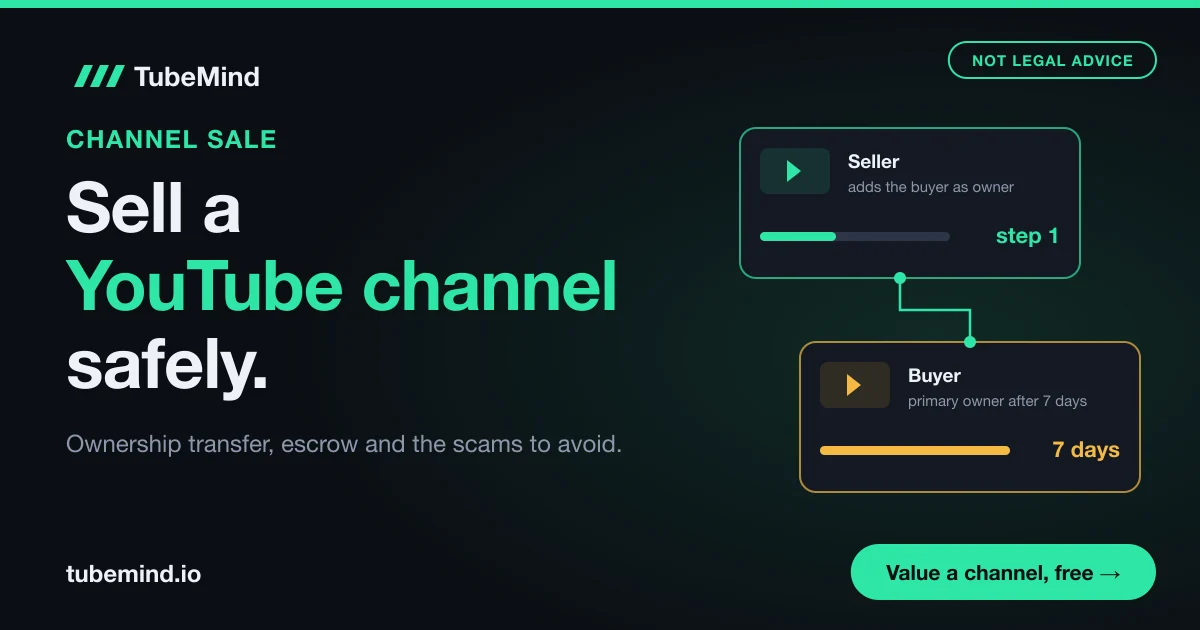
- A new owner must be an owner for 7 days or more before they can become primary owner, and managers cannot change the primary owner.
- AdSense never moves with the channel. The buyer links their own, and a Partner Program channel can change its linked AdSense account only once every 32 days.
- Strikes, past violations and any bought views or subscribers stay with the channel, so they lower the price and can scare buyers away.
- The safe order is: contract, money into escrow, owner invite, 7 day wait, primary owner transfer, buyer confirms, escrow pays you.
Maybe your channel earns a little every month and you have lost interest in it. Then a message arrives: "Hi, I want to buy your channel, how much?" It feels like easy money. It is also where many creators lose their channel and get nothing.
I have been on YouTube since 2018 and blogging since 2010, and I have seen creators in Pakistan and India get these offers again and again. This guide is about the selling process itself: what YouTube's own rules allow, how ownership moves from your account to the buyer's, how escrow keeps both sides safe, where buyers come from, and how to think about price. If you only want a number for your channel, our YouTube channel valuation calculator gives you a low, mid and high estimate in a minute. This article picks up after that number, when you want to turn it into money without being scammed.
Is it allowed to sell a YouTube channel? What YouTube's rules say
Short answer: YouTube does not forbid it in writing, and it does not help you do it either. When I read the YouTube Terms of Service on 3 November 2026, I did not find any clause about selling, buying or transferring a channel. What YouTube does give you is a set of tools to add and change owners on a channel, through Google Brand Accounts. That is the only clean way ownership moves.
So the sale is a private deal between you and the buyer. YouTube is not a party to it. It will not hold the money, check the buyer, or step in if something goes wrong. That is why the safety steps in this guide matter so much.
Some rules do touch a sale directly, even though none of them use the word "sell". Here are the ones I would read before listing a channel, each checked on YouTube Help on 3 November 2026:
| Rule | What it says | What it means for your sale |
|---|---|---|
| Channel owners and managers | A new owner must be an owner for 7 days before becoming primary owner. Managers cannot change the primary owner. | The handover takes at least a week. Plan payment around that week. |
| Channel without a Brand Account | You can change managers but not owners until it uses a Brand Account. | You may need to convert first, before you even list. |
| Linked AdSense account | A Partner Program channel can change its linked AdSense account once every 32 days. | The buyer links their own AdSense once. A mistake here costs a month. |
| Partner Program checks | YouTube says it keeps checking channels in the program and can remove monetization for policy problems. | Monetization is not a permanent badge. It can be lost after the sale too. |
| Inactive channels | YouTube may turn off monetization after 6 months with no uploads or Posts. | Do not go quiet for months while you look for a buyer. |
| Account safety | YouTube tells creators to enter their Google password only on myaccount.google.com. | A buyer who asks for your password is asking you to break basic safety advice. |
Read the table from left to right. Take the first row as an example: the rule is about roles, but for you it means your money should not move on day one. If a buyer says "I will pay after you make me owner", you now know that becoming the main owner is a 7 day process, so the payment plan must cover those 7 days. Every row works the same way: a YouTube rule on the left, the practical effect on your deal on the right.
One more thing to be clear about: I am not a lawyer, and this is not legal or tax advice. A channel sale is a sale of a business asset. Your country's contract and tax rules apply to it, and they differ between Pakistan, India, the UK and the US. For a sale of any meaningful size, a short call with a local lawyer or accountant is money well spent.
What exactly you are selling, and what stays with you
When you sell a channel through a Brand Account, the channel itself does not move anywhere. Only the people who control it change. That makes it easier to see what the buyer gets and what does not go with it.
| Item | Goes to the buyer? | Why |
|---|---|---|
| Videos, Shorts, playlists, subscribers, comments, handle | Yes | They belong to the channel, and the channel stays the same. Only its owners change. |
| Strikes, warnings and policy history | Yes | They are attached to the channel, so the buyer inherits them. |
| Your AdSense account and past earnings | No | AdSense is tied to you as a person. The buyer links their own. |
| Sponsor deals and affiliate links | Only if the brand agrees | Those contracts are with you. The buyer must sign their own. |
| Your face, voice and personal name | No | Viewers who came for you may leave when you leave. |
| Email list, social pages, website, editing files | Only if your contract says so | These sit outside YouTube, so list each one in the agreement. |
| Music, stock footage and font licences | Check each licence | Many licences cover you only, and do not pass to a new owner. |
The two rows that cause the most fights are sponsors and licences. Say your channel has a monthly deal with a VPN brand worth $300. A buyer may see that $300 in your income and pay for it. But if the brand does not want to work with the new owner, that income stops the day you hand over. So either leave it out of the price, or get the brand's written yes before the sale.
The face and voice row matters more than people think. A faceless channel, like the ones in our guide to faceless YouTube channels, is easier to sell because nothing about the content depends on one person. If your channel is you talking to camera, the buyer is buying a channel whose star is leaving. Expect fewer buyers and a lower price.
Step 1: Check that your channel can change owners
Before you talk to a single buyer, confirm that ownership can move at all. Many small channels were made on a personal Google account years ago, and those cannot change owners until they use a Brand Account.
Here is how to read your setup:
- Already on a Brand Account: you will see your channel listed in the Brand Accounts section of your Google Account, with a "Manage permissions" option. You are ready for the transfer steps later in this guide.
- On a personal Google account: YouTube Help says that without a Brand Account you can change channel managers but not owners. To transfer ownership, you first convert to a Brand Account by removing all roles in the permissions setup.
- Using channel permissions in YouTube Studio: this newer system lets you give people roles like Manager, Editor and Viewer. YouTube Help says owners added through channel permissions cannot transfer ownership, and it says to opt out of channel permissions only if you need to complete a channel transfer. You will find the opt out in YouTube Studio under Settings, then Permissions.
If your channel needs to move from your personal account into a Brand Account, YouTube Help has a "Move channel" option under Settings, then Advanced settings. Read that page slowly. It warns that the moved channel loses its watch and search history, Creator Demographic information and gift settings. If you pick a destination that already has a channel and choose Replace, that other channel and its videos are deleted for good. One wrong click here can delete the wrong channel, which is a far bigger loss than any sale.
My advice: do this step weeks before you list. A clean, tested Brand Account setup also tells a buyer the handover will be simple.
Step 2: Get the channel ready before you list it
Buyers pay more for a channel that is clean, active and easy to check. Most of this work costs nothing but time.
- Clear your strike status. A copyright strike expires after 90 days only if you complete Copyright School, and three strikes within 90 days can end a channel. Sell with an active strike and the buyer is paying for a channel one mistake away from deletion. Most will walk away or cut the price.
- Keep uploading while you sell. YouTube may switch off monetization after 6 months with no uploads or Posts. A sale can take weeks. Keep your normal schedule going until the handover day.
- Accept the updated Partner Program terms. YouTube's updated YPP terms start on February 1, 2027, and creators must accept them in YouTube Studio by January 31, 2027 to keep monetizing fully. A buyer will ask. Do it now.
- Download your own records. Once you are removed, you lose YouTube Studio access. Export the revenue and analytics reports you want to keep for your taxes and your own history before the transfer.
- Write down your income by source. Ads, sponsors, affiliates, memberships, Super Thanks. Our income mix calculator shows how much rests on each source, which is the first thing a serious buyer will ask about.
- Write down your costs. Editors, voice over, thumbnails, music subscriptions. Buyers price on profit, so hiding costs only delays the argument.
It also helps to see your channel the way a buyer will see it from the outside. Run it through our free channel audit to get a 0 to 100 score and the weak spots in public data, like slow uploads or falling views. If the audit flags something, fix it or be ready to explain it. A buyer who finds a problem you hid trusts nothing else you say.
One warning that saves many deals: if the channel ever bought views, subscribers or likes, buyers often spot it. A sudden jump in subscribers with flat views is the classic sign. Our guide on how to check if YouTube views are fake shows the same checks a buyer runs, so run them on yourself first.
How to think about your asking price
Channels are priced on the profit a new owner can keep, not on subscribers. A channel with 300,000 subscribers and almost no income can be worth less than a channel with 20,000 subscribers that earns steadily every month.
I will not repeat the full valuation method here, because our channel worth calculator already does that, with the multiples, the factors that move them and how they compare with sold channels. What I want you to take from this section is how sellers get the price wrong:
- Counting income that leaves with you. Say your channel brings in $900 a month: $500 from ads, $250 from a sponsor who only wants you, and $150 from your personal course. A buyer will only pay for the $500, minus your costs. Price on that, or prove the rest transfers.
- Pricing from your best month. One viral video lifts one month. Buyers look at 6 to 12 months and ask what a normal month looks like.
- Forgetting the selling costs. Marketplace and broker fees, escrow fees and taxes all come out of the price. Ask every platform for its current fee before you agree a number, and work out what lands in your bank.
- Ignoring where the viewers live. The same views pay very differently by country. Our explainer on YouTube revenue and RPM shows why a channel with a mostly Pakistani or Indian audience earns less per view than one with US viewers, which a buyer will price in.
Once you have a calculator range, set your asking price near the top of it and your walk away price near the middle. That leaves room to negotiate without selling below what the numbers support.
Where to sell: marketplaces, brokers and direct buyers
There are three main ways to find a buyer, and they suit different channel sizes. None of them is perfect, and each takes a cut or carries a risk.
| Route | Examples | Suits | Main risk |
|---|---|---|---|
| Open marketplace | Flippa, Fameswap | Small to mid channels that want many eyes on the listing | Lots of time wasters and fake buyers. You must vet them yourself. |
| Broker | Empire Flippers, FE International | Larger, profitable channels with clean records | Higher fees, and many only accept channels above a profit level |
| Direct buyer | A media company, a bigger channel in your niche, a past sponsor | Sellers who already know who would want the channel | No platform in the middle, so escrow and a contract are on you |
| Social media groups and chat apps | Facebook groups, Telegram, WhatsApp | I would not use this route | The most scams, fake escrow sites and no way to check anyone |
To read this table, start from your channel's size. Say your channel earns about $200 a month. A broker will probably not take it, so an open marketplace is your realistic choice, and the risk column tells you your main job there: filtering out fake buyers. If your channel earns several thousand dollars a month with clean records, a broker's higher fee can still pay for itself through better buyers and help with the contract.
Fees, minimum sizes and listing rules change often, so check each platform's own fee page on the day you list. I am naming these platforms as examples of each route. I am not recommending any of them, and TubeMind has no deal with any of them.
The last row needs a plain warning. Many channel sales in South Asia happen in Facebook groups and Telegram channels, and that is exactly where the "buyer" who wants your login, or who sends a link to a fake escrow page, lives. If you must use such a group to find a buyer, move the actual deal to a real escrow service and a written contract.
The safe handover: escrow and the order of every step
Escrow is a neutral company that holds the buyer's money until both sides confirm the deal is done. It removes the biggest fear on both sides: you fear handing over the channel and not getting paid, and the buyer fears paying and not getting the channel.
The order matters more than anything else in this guide. Here is the sequence I would follow:
- Sign a written agreement. Price, what is included (channel, email list, social pages, files), who gets the earnings for the handover month, how long you will help after the sale, and if you may start a competing channel.
- Buyer pays into escrow. Use a known escrow company you open yourself by typing its address, never through a link the buyer sends. Wait until the escrow company confirms the money is in, in your own account on its site.
- Invite the buyer as an owner. In your Google Account, go to Brand Accounts, pick the channel, choose Manage permissions, then Invite new users, add the buyer's email and give the Owner role. The buyer accepts from the email they receive.
- Wait 7 days. YouTube Help says an owner must hold that role for 7 days or more before they can be set as primary owner. During this week the buyer is already an owner, which is exactly why the money must sit in escrow before step 3.
- Make the buyer primary owner. In Manage permissions, click the arrow next to the buyer's name, choose Primary owner and confirm with Transfer.
- Buyer links their own AdSense. In YouTube Studio under Earn, the buyer changes the linked AdSense for YouTube account. Because a Partner Program channel can only change this once every 32 days, the buyer should have their AdSense account ready before this step.
- Remove yourself and confirm. You leave the Brand Account. The buyer checks they have full control, then confirms delivery to the escrow company, which releases your money.
Two details trip people up. First, the handover month earnings. YouTube does not split a month's ad income between old and new owners for you, so write in the contract who keeps what. A simple rule: everything earned before the buyer's AdSense is linked is yours, and everything after is theirs. Second, the escrow inspection period. Agree how many days the buyer has to check the channel after step 7 before funds release automatically, so the deal cannot hang forever.
Also notice what is missing from this list: your Google password. At no point does a Brand Account sale need the buyer to know your login. If a buyer insists on it, the deal is either a scam or a buyer who does not know how this works. Neither is someone to sell to.
Scams that target channel sellers, and how to spot them
Most failed sales are not complicated frauds. They are old tricks aimed at creators who are excited about an offer. These are the patterns to watch for:
- "Send me your login so I can check the analytics." A serious buyer asks for a live screen share of YouTube Studio on a video call. A login gives them the whole account, and you can lose it in minutes.
- A sign-in page sent as a link. Some fake buyers and fake sponsors send a "verification" or "contract" page that asks you to sign in with Google. YouTube's safety advice is to type your Google password only on myaccount.google.com, and to turn on 2-Step Verification with a passkey as the second step.
- The buyer picks the escrow company. Fake escrow sites look professional. Choose the escrow service yourself, open it by typing its address, and check the payment there.
- Payment that can be reversed. A card payment or a "friends and family" transfer can be pulled back after you have handed over the channel. Escrow, or a confirmed bank wire you have checked in your own bank, is safer.
- Overpayment. The buyer "accidentally" sends too much and asks for the difference back. The first payment then bounces, and only your refund was genuine money.
- Pressure. "Another seller is ready, decide today." A serious buyer can wait for escrow to confirm. Rushing is how the steps above get skipped.
Also check who already has access to your channel. YouTube's safety advice says to remove access for anyone who has left your team. Before a sale, clean your permissions so the only people who can act on the channel are you and, later, the buyer.
After the sale: what to tidy up
When the money lands, a few loose ends remain, and leaving them open can cause trouble months later.
- Hand over the outside assets you promised: the channel email, social pages, project files and the list of upload settings and tools you used. Then change the passwords on anything of yours that the buyer touched.
- Keep your copy of everything. The contract, escrow receipts, chat history and the revenue reports you downloaded. You will want them for tax and for any dispute.
- Plan for tax. In most countries the money from a sale counts as income or a gain. Rules in Pakistan, India, the UK and the US differ, so ask a tax adviser in your country before you spend it.
For sellers in Pakistan and India, agree the currency in the contract, and receive the money through escrow into an account in your own name. Keep the paper trail of where the money came from, because your bank may ask about a large foreign payment.
When selling is a bad idea, and the limits of this guide
Selling is not always the right move. I would think twice in these cases:
- The channel is your face and name. You may be selling your own identity. If viewers know you, a new owner using your channel can confuse them, and some will think you changed. Archiving or keeping the channel can be wiser.
- The channel is not monetized and has little steady traffic. Buyers mostly pay for income. Read our pillar on why a channel is not monetized, check the public thresholds with the monetization checker, and you may find that fixing it first is worth more than selling now.
- The channel has an active strike or a monetization problem. Fix or wait it out first. Selling a damaged channel gets a low price and an angry buyer.
- Someone wants to "buy monetization" only. There is no such thing to sell. Partner Program status is linked to the channel and kept under ongoing review, and a channel bought to repost other people's content in a new niche can lose it.
The limits of this guide: YouTube does not publish any process for channel sales, so the transfer steps here come from YouTube's help pages on Brand Account roles, which can change. Check the official pages linked below on the day you sell. Marketplace fees, broker rules and escrow terms change too, and I have not quoted any of them as numbers for that reason. And none of this is legal or tax advice.
YouTube Channel Valuation Calculator
Get a low, mid and high value for any channel from public data, with the factors that push the price up or down, before you set your asking price.
Value a channelSources and method
This guide is based on YouTube's official help pages and Terms of Service, each read on 3 November 2026. Brand Account roles, the 7 day primary owner rule and the rule that managers cannot change the primary owner are from YouTube Help, Change channel owners and managers with a Brand Account. The rules on channel permissions and transfers are from Migrate from Brand Account user access to channel permissions. What is lost when a channel moves accounts is from Move your YouTube channel from one Brand Account to another. The 32 day AdSense rule is from Change your linked AdSense for YouTube account. Partner Program checks, the 6 month inactivity rule and the 2027 terms dates are from the YPP overview, and account safety advice is from Safety tips and resources for YouTube creators. Copyright strike rules were checked on YouTube Help's copyright strike page. Marketplace and broker names only illustrate each selling route, and their fees were not quoted because they change. TubeMind has no public data on private channel sales, so this post uses no index numbers. See how our scores work for the data behind our tools.
Thinking of selling? Check what your channel is worth first, free.
Research right on YouTube: the free TubeMind Chrome extension shows the outlier multiplier, a revenue estimate and similar channels on YouTube pages.
Frequently asked questions
Does YouTube allow you to sell your channel?
YouTube's Terms of Service, read on 3 November 2026, have no clause that mentions selling a channel. YouTube does give channel owners Brand Account tools to add owners and transfer primary ownership, which is how sales are done. YouTube is not part of the deal, though, so it will not hold payment or settle disputes.
Can I sell a channel that is on my personal Google account?
Not as it is. YouTube Help says a channel without a Brand Account can change managers but not owners. You first convert it to a Brand Account by removing all roles in the permissions setup, or move it with the Move channel option in Advanced settings. Read the warnings on that page, because choosing Replace deletes the other channel.
How long does it take to hand a channel over to a buyer?
At least 7 days for the transfer itself, because a new owner must be an owner for 7 days before becoming primary owner. Add time for the buyer to link AdSense, which can take from a few minutes to a few weeks for a new AdSense account, and the escrow inspection period you agree.
Do the subscribers and views stay after a channel is sold?
Yes. In a Brand Account sale the channel itself does not move. Only the owners change, so videos, playlists, subscribers, comments and view counts stay where they are. What can change is the audience's interest: if viewers came for the old creator, some will stop watching once the style changes.
What happens to my AdSense money when I sell?
Your AdSense account stays yours, with the earnings already in it. The buyer links their own AdSense for YouTube account, and a Partner Program channel can change its linked account only once every 32 days. Write into the contract who keeps the earnings from the handover month, because YouTube does not divide them.
Should I give a buyer my Gmail password to check the channel?
No. A Brand Account sale never needs your password. Show your YouTube Studio numbers on a live screen share instead. YouTube's safety advice is to enter your Google password only on myaccount.google.com and to turn on 2-Step Verification, ideally with a passkey. A buyer who insists on your login is a warning sign.
Is escrow worth it for a small channel sale?
Usually, yes. The fee is a small share of the price, and it protects you from the most common loss: handing over the channel and never being paid. Choose the escrow company yourself, open its site by typing the address, and confirm the money is held before you invite the buyer as an owner.
Can I sell a channel that has a copyright strike?
You can try, but expect a much lower price or no buyer. Strikes stay with the channel after the sale, and three copyright strikes within 90 days can end it. A strike expires after 90 days if the owner completes Copyright School, so the safer plan is to clear it first and list afterwards.
Can a creator in Pakistan or India sell a channel to a foreign buyer?
Yes, the Brand Account process is the same in every country. Agree the currency in the contract, use an escrow service that pays out to an account in your own name, and keep every receipt. Large foreign payments can raise questions from your bank, and the sale is likely taxable, so ask a local tax adviser first.
Will a channel lose monetization after it is sold?
Not automatically, but it can. YouTube says it keeps checking channels in the Partner Program and can remove monetization for policy problems. It may also turn monetization off after 6 months without uploads or Posts. A new owner who changes the content into reused or low effort videos can lose it, so buyers should keep the channel active and original.